Extending CircuitPython with Native Modules - Part 1
For CircuitPython Day 2025, I installed CircuitPython on an unsupported board. I then went on to write a Python-based driver for the AT42QT2120, late last year, and published it to the Community Bundle. This year, for CircuitPython Day 2026, I wanted to get closer to the metal and write a module in C that I could call from CircuitPython.
Initially, I'd hoped this would be a single article, but it felt better to split it into three parts, given the number of steps we take.
This series, and the approach detailed within these articles, relies heavily on the now vintage (2018) Extending CircuitPython: An Introduction by Dave Astels, and the pre-existing modules including msgpack and zlib.
Prerequisites
Before you start, get your environment configured and tested to the point where you can build firmware for your board of choice without any errors.
$ cd ports/espressif
$ source esp-idf/export.sh
[...]
Done! You can now compile ESP-IDF projects.
[...]

$ make BOARD=adafruit_qtpy_esp32s2
[...]
Successfully created ESP32-S2 image.
[...]
Wrote 3145728 bytes to build-adafruit_qtpy_esp32s2/firmware.uf2
There's no point setting off with a broken set-up. For our examples, here, we'll be using the ESP32-S2 QT Py from Adafruit.
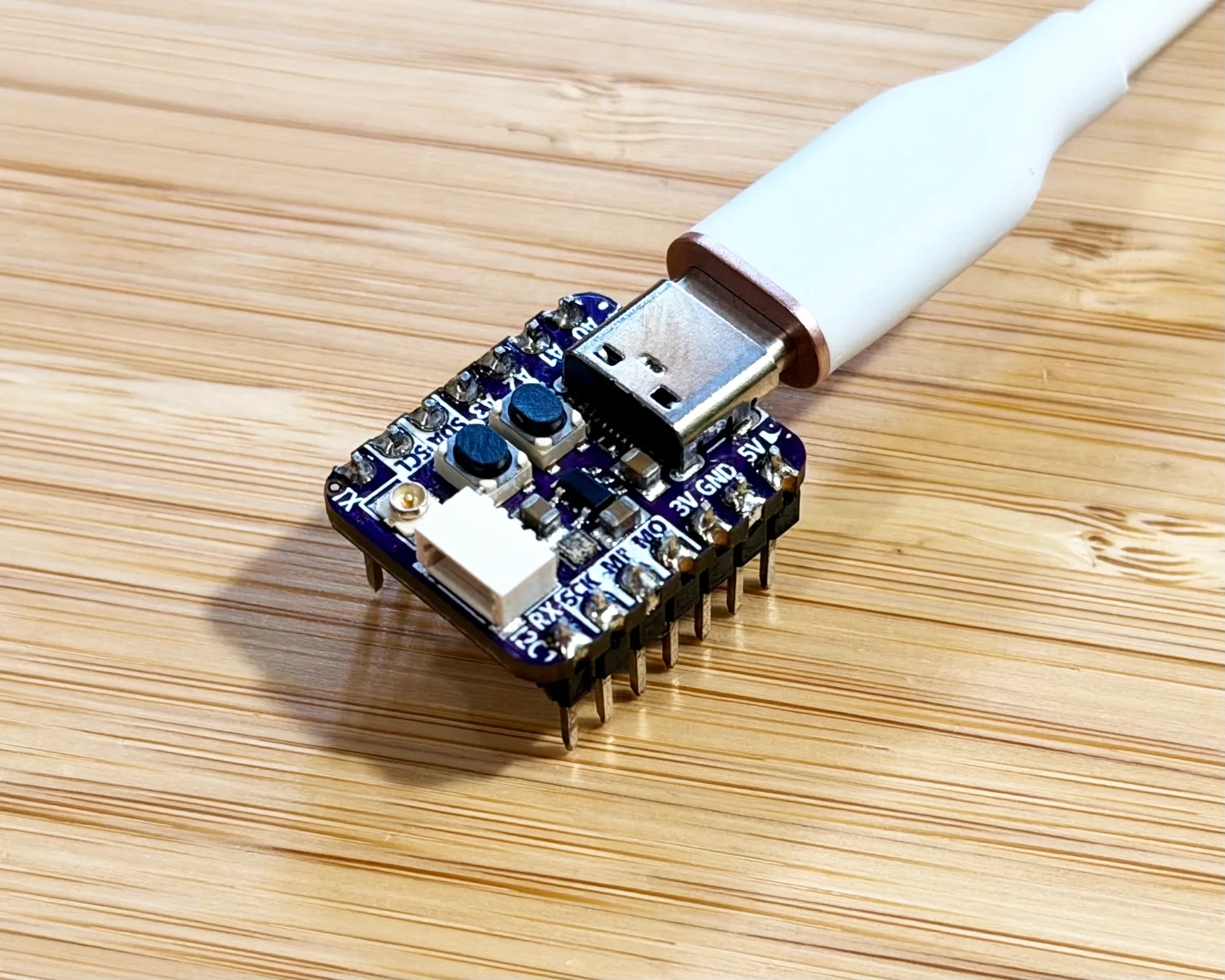
We're going to be adding and editing files across the whole CircuitPython repo, so I suggest starting a new branch to keep track of all your changes.
$ git checkout -b feat/mikes-example
Switched to a new branch 'feat/mikes-example'
Design
This is a contrived example to demonstrate the process of extending CircuitPython with a native module. We'll eventually get to the point where we can instantiate an object and call its methods, passing in a module enum as an argument. Our example here is a basic four-function calculator.
>>> from mikesexample import Calculator, Operator
>>> calc = Calculator()
>>> calc.calculate(5, Operator.ADD, 4)
9
Our work here will involve
- writing the module in C
- making it available within Python, and
- adding it to the modules bundled during our specific board's build.
The quickest and simplest functionality to implement will be the Operator enum.
Getting that defined and made available within our board's CircuitPython environment will be a good place to start.
We'll start there and then move on to the actual Class/Object code.
Conventions
Before I found Dave Astels' article, I really stumbled around in the dark. If you start from just inspecting the codebase as a newbie, there are seemingly useless files scattered about and incredibly strangely named and prefixed functions. One of the key takeaways from his article was...
This naming convention is the convention used. Just Do It. Sticking with the established conventions is the safest way to go. You never know when it's depended on. The CircuitPython runtime is complex enough that you don't want to take chances.
Behind the scenes there's an extensive build system running to support so many architectures and so many boards. You have to go with it. It can feel weird and awkward, and your IDE might not like it, but it's the way to go.
Project Layout
-
shared-modules/This is where we'll put our module's C code.
-
shared-bindings/This is where we'll put our module's Python bindings.
-
**/*.mkThese are makefiles that are used to include our module in the build.
Operator
For this first article, we'll focus on getting the Operator enum available from within the mikesexample module.
The enum will be the simplest part of the module to implement, which will let us spend a little time getting the build process right too.
shared-bindings/mikesexample/Operator.h
First up, is our Operator header file.
Here we define the four operations we will reuse in our C code.
We wrap the ADD, SUBTRACT, MULTIPLY, and DIVIDE operations inside an enum.
#pragma once

#include "py/enum.h"
#include "py/obj.h"

typedef enum _mikesexample_operator_t {
    OPERATOR_ADD,
    OPERATOR_SUBTRACT,
    OPERATOR_MULTIPLY,
    OPERATOR_DIVIDE,
} mikesexample_operator_t;

extern const mp_obj_type_t mikesexample_operator_type;
shared-bindings/mikesexample/Operator.c
Next we need the C code for our Operator. This is where we define the Python interface to the enum with four operations. Dave's advice of...
This naming convention is the convention used. Just Do It.
...is coming through strong. There are a lot of C macros here working away behind the scenes to match everything up. The naming of the variables in this file follows the convention found throughout the shared-bindings modules.
#include "py/obj.h"
#include "py/enum.h"
#include "py/runtime.h"

#include "shared-bindings/mikesexample/Operator.h"

MAKE_ENUM_VALUE(mikesexample_operator_type, operator, ADD, OPERATOR_ADD);
MAKE_ENUM_VALUE(mikesexample_operator_type, operator, SUBTRACT, OPERATOR_SUBTRACT);
MAKE_ENUM_VALUE(mikesexample_operator_type, operator, MULTIPLY, OPERATOR_MULTIPLY);
MAKE_ENUM_VALUE(mikesexample_operator_type, operator, DIVIDE, OPERATOR_DIVIDE);

//| class Operator:
//|     """Enumerates which mathematical operator to use."""
//|
//|     def __init__(self) -> None:
//|         """Enum-like class to define which mathematical operator to use."""
//|         ...
//|
//|     ADD: Operator
//|     """Add the first number to the second."""
//|
//|     SUBTRACT: Operator
//|     """Subtract the second number from the first."""
//|
//|     MULTIPLY: Operator
//|     """Multiply the first number by the second."""
//|
//|     DIVIDE: Operator
//|     """Divide the first number by the second."""
//|
//|
MAKE_ENUM_MAP(mikesexample_operator) {
    MAKE_ENUM_MAP_ENTRY(operator, ADD),
    MAKE_ENUM_MAP_ENTRY(operator, SUBTRACT),
    MAKE_ENUM_MAP_ENTRY(operator, MULTIPLY),
    MAKE_ENUM_MAP_ENTRY(operator, DIVIDE),
};

static MP_DEFINE_CONST_DICT(mikesexample_operator_locals_dict, mikesexample_operator_locals_table);

MAKE_PRINTER(mikesexample, mikesexample_operator);

MAKE_ENUM_TYPE(mikesexample, Operator, mikesexample_operator);
shared-bindings/mikesexample/__init__.c
Now that we've defined our enum, we need a module to host it within.
You can't import something that doesn't exist.
Here, we define our module name, and the enums, classes and methods that exist within it.
#include "py/obj.h"
#include "py/runtime.h"

#include "shared-bindings/mikesexample/Operator.h"

//| """Support for mathematical operations
//|
//| The `mikesexample` module contains logic perform mathematical operations
//|

static const mp_rom_map_elem_t mikesexample_module_globals_table[] = {
    { MP_ROM_QSTR(MP_QSTR___name__), MP_ROM_QSTR(MP_QSTR_mikesexample) },
    { MP_ROM_QSTR(MP_QSTR_Operator),  MP_ROM_PTR(&mikesexample_operator_type) },
};

static MP_DEFINE_CONST_DICT(mikesexample_module_globals, mikesexample_module_globals_table);

const mp_obj_module_t mikesexample_module = {
    .base = { &mp_type_module },
    .globals = (mp_obj_dict_t *)&mikesexample_module_globals,
};

MP_REGISTER_MODULE(MP_QSTR_mikesexample, mikesexample_module);
py/circuitpy_defns.mk
With our code written, we need to get it compiled into the firmware. First, we need to tell the build system where to find our files.
@@ -650,6 +653,8 @@ $(filter $(SRC_PATTERNS), \
        math/__init__.c \
        microcontroller/ResetReason.c \
        microcontroller/RunMode.c \
+       mikesexample/__init__.c \
+       mikesexample/Operator.c \
        msgpack/__init__.c \
        msgpack/ExtType.c \
        paralleldisplaybus/__init__.c \
Then, we need to tell it when to compile them.
We're going to hide all of our code behind a CIRCUITPY_MIKESEXAMPLE flag.
We'll only bundle our module if this flag is set to 1.
@@ -312,6 +312,9 @@ endif
 ifeq ($(CIRCUITPY_MICROCONTROLLER),1)
 SRC_PATTERNS += microcontroller/%
 endif
+ifeq ($(CIRCUITPY_MIKESEXAMPLE),1)
+SRC_PATTERNS += mikesexample/%
+endif
 ifeq ($(CIRCUITPY_MIPIDSI),1)
 SRC_PATTERNS += mipidsi/%
 endif
/py/circuitpy_mpconfig.mk
It doesn't really matter now, but I'd rather we didn't include our new module in every possible build under the sun. Since we're targeting native, we could include board- or architecture-specific code that might end up being incompatible with the hardware. Instead, I only want to include it when I'm building for our specific board or commiting to an "everything" build.
@@ -432,6 +432,9 @@ CFLAGS += -DCIRCUITPY_MEMORYMONITOR=$(CIRCUITPY_MEMORYMONITOR)
CIRCUITPY_MICROCONTROLLER ?= 1
CFLAGS += -DCIRCUITPY_MICROCONTROLLER=$(CIRCUITPY_MICROCONTROLLER)

+CIRCUITPY_MIKESEXAMPLE ?= $(CIRCUITPY_FULL_BUILD)
+CFLAGS += -DCIRCUITPY_MIKESEXAMPLE=$(CIRCUITPY_MIKESEXAMPLE)
+
CIRCUITPY_MIPIDSI ?= 0
CFLAGS += -DCIRCUITPY_MIPIDSI=$(CIRCUITPY_MIPIDSI)
ports/espressif/boards/adafruit_qtpy_esp32s2/mpconfigboard.mk
Since we defaulted to not bundling our module, we'll need to specifically enable it for this board.
@@ -16,3 +16,6 @@ CIRCUITPY_ESP_PSRAM_FREQ = 80m

# Not enough pins.
CIRCUITPY_PARALLELDISPLAYBUS = 0
+
+# Enable our custom module for this board.
+CIRCUITPY_MIKESEXAMPLE = 1
Building
With our code files and build changes in place, we can now compile our firmware, including our custom module.
$ make -j16 BOARD=adafruit_qtpy_esp32s2
[...]
Creating ESP32-S2 image...
Merged 3 ELF sections.
Successfully created ESP32-S2 image.
[...]
Converted to uf2, output size: 3146240, start address: 0x0
Wrote 3146240 bytes to build-adafruit_qtpy_esp32s2/firmware.uf2
To check that our CIRCUITPY_MIKESEXAMPLE = 1 flag actually worked, we can look inside shared-bindings within the board's build directory.
$ ls -1 build-adafruit_qtpy_esp32s2/shared-bindings/ \
| grep mikesexample
mikesexample
We can also check which files were included and compiled into the build.
$ ls -1 build-adafruit_qtpy_esp32s2/shared-bindings/mikesexample/
__init__.o
__init__.P
Operator.o
Operator.P
Testing
Flashing the new firmware will make our module available on the board.
Using a serial monitor, for example, tio, we can interact with the on-device CircuitPython REPL.
>>> import mikesexample
>>> dir(mikesexample)
['__class__', '__name__', 'Operator', '__dict__']
>>> from mikesexample import Operator
>>> dir(Operator)
['__class__', '__name__', 'ADD', 'DIVIDE', 'MULTIPLY', 'SUBTRACT', '__bases__', '__dict__']
>>> op1 = Operator.ADD
>>> op2 = Operator.SUBTRACT
>>> op1 == op2
False
>>> op1 == Operator.DIVIDE
False
>>> op1 == Operator.ADD
True
Here we can see that our module is available, the Operator enum is usable, and the values are accessible, assignable and comparable.
Next time
We'll continue to build out our mikesexample module, adding a calculate() function and a Calculator class.
2026-08-19